Showing posts with label 000 - by my self - 000. Show all posts

Thursday, April 23, 2009

Ubuntu Netbook Remix 9.04 Jaunty Jackalope First Sight


Yesterday April 23rd, 2009 is official launch day for latest Ubuntu and it's all brother & sister. The most tempted variant for me is Ubuntu Netbook Remix 9.04 Jaunty Jackalope. It's an answer for a brand new emerging market in mobile computing, NETBOOK. Unfortunately till evening in my local time, there are only older Ubuntu available to download. Finally on April 24th, i got the link ready and in the afternoon I have Netbook Remix completely downloaded to satisfy my curiosity.


What is a remix?

A remix is a 'respun' version of Ubuntu built for a specific purpose. Although Canonical has encouraged community projects to use this terminology for some time, this is the first time that Canonical has used it. We are using it to differentiate from an 'Edition' which we consider a complete version with daily builds suitable for the average user with no additional work beyond installing the CD.

Canonical works with devices manufacturers (OEMs) to pre-install Ubuntu Netbook Remix. These commercial products contain software that is not free and built for a specific hardware configuration unique to the OEM. These are not publicly available as we do not have the right to redistribute the software.

All of the initial Ubuntu Netbook remixes combine optimisations from the Moblin project for Intel® Atom™ processors and it is specially designed for netbooks. Intel and Canonical are working to create a new computing experience across a rapidly expanding category of portable devices.

Reasons to choose Ubuntu Netbook Remix
For OEMs:
* Rapid route to market - UI configured to work with Intel Atom processor-based netbooks so you are ready to go
* Small OS footprint - fits within a 4GB flash drive with room for additional storage
* Expert engineering - based on Ubuntu’s well-tested, globally proven software
* Clean licensing - all work conforms with open source and commercial application licensing with audio and video codecs that are legally licensable

For users:
* New Interface - built for accessing your favourite on and off-line applications rapidly and optimised for the restricted screen size this is radically different
* No viruses - Ubuntu is a smooth, safe computing and browsing experience
* Optimised for netbook components - built from the ground up to take advantage of speed and power capabilities of the chip set
* Large developer community - gain the benefits of innovation from some of the world’s leading free and open source developers

Technical specifications
Minimum hardware requirements:
* Processor: Intel® Atom™ processor
* RAM: 512 MB
* Storage: 4 GB Flash disk (SSD) or hard disk

Major open source applications included:
* Web browser - Firefox 3
* E-mail client - Evolution
* Instant messenger - Pidgin
* Media player - Rhythmbox
* eBook reader - FBReader
* Photo viewer - F-Spot
* Office suite - OpenOffice.org

Optional market leading applications included:
* Adobe Flash
* Adobe Reader
* Java JVM
* Skype

Optional licensable audio and video decoders for OEMs:
* MPEG4 (H.263)
* MP3
* AAC
* Windows Media

History (from Ubuntu.com & markshuttleworth.com):
Completely independently, a set of Canonical developers from the OEM team was looking at technologies to support the new "netbook" devices. Using a mix of GNOME, Open Hand stuff, some of the work that went into Ubuntu MID, and additional development, they produced the "Netbook Remix", based loosely on Ubuntu Hardy. This Remix included 4 new packages, and patches to about 59 more.

For the rest, the netbook remix uses standard ubuntu packages from the standard ubuntu archive, with standard security updates. So it meets all of our usual commitments around security and compatibility. You can recreate the netbook remix just by installing 8.04, adding the PPA to your list of repositories, fetching the packages and configuring them appropriately for your system.

The netbook remix is not part of the “official Ubuntu editions”, it’s not like Kubuntu or Ubuntu or Ubuntu Server. It’s a separate remix published by the Canonical OEM team. It will probably get revved in October when Ubuntu 8.10 is released, but that’s up to the Canonical OEM team and their customers, and not the responsibility of the Ubuntu project team.

In working with manufacturers, the OEM team creates custom install images which are specific to hardware from those OEM’s. They have the free software packages I’ve described, and they may also include third-party software selected by OEM’s which Canonical cannot redistribute, so we can’t publish the custom installers that are produced under contract. Those images typically are hand-customised for a faster boot time, which means they will only work on the particular device for which they were intended, unlike standard Ubuntu which should auto-detect and configure itself for whatever hardware it is being booted on.

We specifically wanted to do this project as an Ubuntu Remix - based on standard Ubuntu 8.04 packages, with modified package selection and some additional code, but leaving the core platform packages unmodified. In terms of the trademark guidelines for an Ubuntu Remix companies cannot call their platform Ubuntu if they have modified packages (especially the kernel and desktop packages) but they can if they are just re-arranging standard Ubuntu packages. Canonical is in a privileged position as the Ubuntu trademark owner - we can certify a custom kernel if we believe it has been done in an appropriate way that won’t conflict with standard Ubuntu maintenance processes, and if we can keep the custom kernel up to date to the same standard as the normal Ubuntu kernel. So these are certified Ubuntu devices from Canonical, even though they are more customized than other people can within the Remix guidelines.

We’re also working with two companies that want more radical user interface innovation. Canonical is participating directly in the design and implementation of one of those UI’s, and we’re integrating someone else’s UI on an Ubuntu base for the second project. I haven’t seen either of those UI’s, for confidentiality reasons, but I’m told that the teams working on them think they have great ideas that will elevate, in different ways, the state of the art. All in all it will be exciting to see how the netbook era stimulates innovation in the Linux user experience, because there are a lot of companies wanting to build differentiated UI’s on a standard Linux base. And directly or indirectly Canonical will help to bring that innovation to KDE and GNOME and hence to the wider Linux ecosystem.

Installation:
I use Ubuntu 8.10 Itrepid Ibex might be different with yours.
1. Download the image (not ISO image) from here
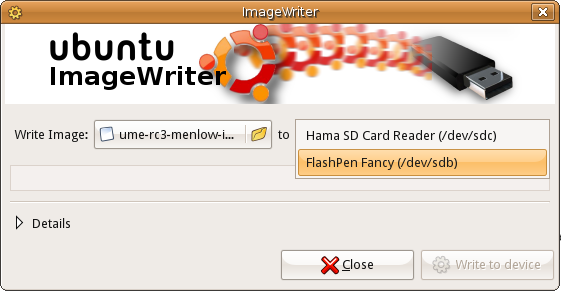
2. Install the ImageWriter. Download the DEB package from here for 8.10 Itrepid Ibex or here for 8.04 Hardy Heron /usb-imagewriter_0.1.3-0ubuntu1~intrepid~ppa1_all.deb
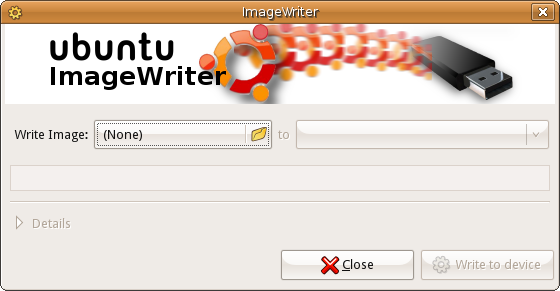
3. Install that package and you'll find it in Application - Accessories Menu
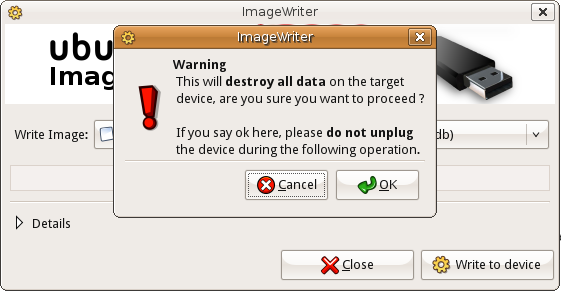
4. Don't forget plug your USB first and launch the ImageWriter.

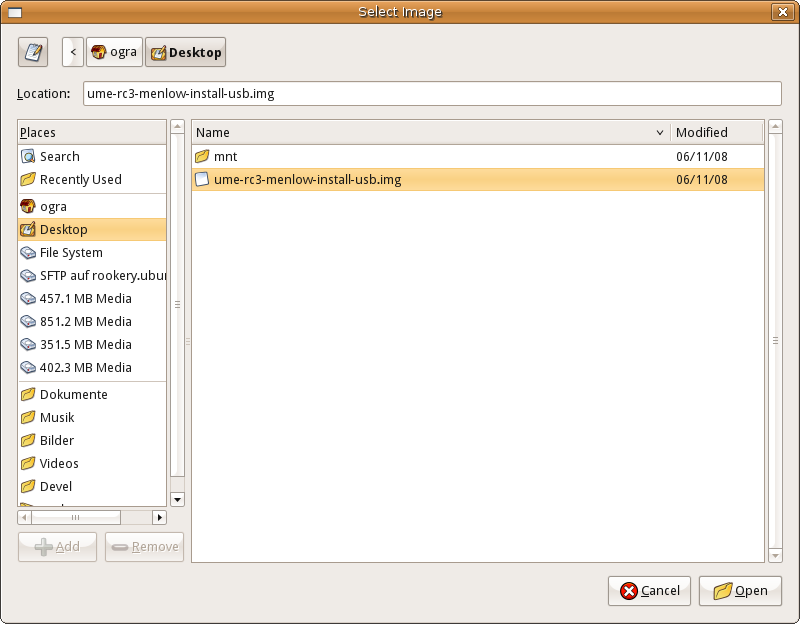
5. Select the image and the USB device


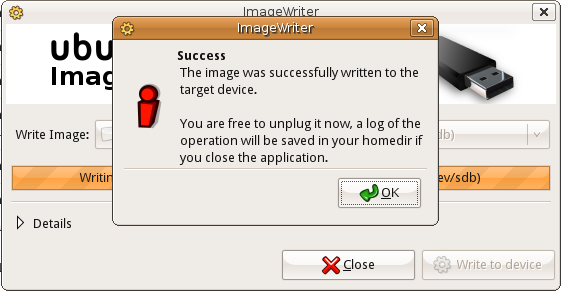
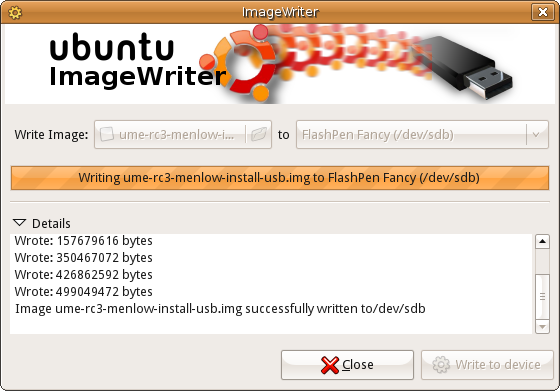
6. Wait till finish


7. Installation screen shot:


I still see SUN Open Office 3.0 maybe later we'll see Oracle Open Office 3.1 or it will be the last free one?

8. I'm happy on Canonical efforts to support netbook. I already installed Ubuntu 8.10 on my kindergarten netbook Axioo and it was working fabulous, unlike disappointing experience with Windows XP on the same machine. I haven't find big different with this new version with older 8.10 but I'll dig it deeper. :)

Read More..

Wednesday, April 22, 2009

Earn money online!


One site that provide money for your opinion and review is www.ciao.co.uk This site will give you a small amount money through your review, affiliate program, invitation and review rating.

Another site from Ciao's group also offer paid survey. The really thing if you want to join this site is give a genuine quality review by your self, good feedback rating, no spamming, no revenge rating or plagiarism as another from Ciao group, US Ciao already banned allover Asian country. Interesting? Join with Ciao.co.uk with click these banner.


What you should consider when writing a review in this site:

1. Write your review as a decision aid for others
Bear in mind that other users will be making product choices based on your review. Therefore, try and cover all aspects that will be relevant to their decision without repeating the product specificiations found in the product comparison tables. Make it clear whether, and for whom, you would recommend the product.
2. Describe your OWN experience
Readers want to hear about products and services from the consumer's perspective. By structuring your review around your own experiences, you will better enable them to judge what the product is like to use and whether it would be appropriate to their own needs.
3.Tell readers both what you like and what you dislike about the product
Try and make your review as balanced and objective as possible by describing both sides of the story. This will make sure that your review is still helpful, even if your reader's requirements are entirely different to your own. For example, if you are reviewing a television set which had poor sound quality and was thus the wrong choice for you, please don't omit to mention that the picture quality was excellent, because this may be your reader's main requirement.
4. Write in a factual, clear and well-structured way
A well-reasoned argument, built on the evidence of your own experiences, will make your evaluation of the product or service easier to read and understand. Make sure that you always explain both what you think of the product, and WHY you think it.
5. Use accurate grammar, spelling, capitalization and punctuation
This will make your reviews easier to read and more accessible. Writing reviews of consistently high quality will increase your readership, so why not prepare the text in a word processing programme with a spell checker?
6. Post your review in the right place
Placing your review in the right section will ensure its relevance to the page content and increase your chances of scoring a high rating. Should you have inadvertantly posted your review in the wrong section, or should you believe that an additional section needs to be created.
7. Do not use headings and bold / italics excessively!
To guarantee that a review is clear and easy to read you should not make excessive use of headings or formatting in bold and italics.

What you must avoid when writing a review

1. Do not plagiarise any part of your review
Plagiarising other users' reviews will lead to your membership being revoked and your Ciao account balance lost.
2. Do not post content that violates our site rules
All offensive, obscene, sexist, rascist or other dishonest or illegal content is prohibited. Writing reviews that contain such content, or that violate our site rules in any other way, will lead to the revocation of your membership.
3. Do not use your review to advertise your own or third party services
Reviews must not be used as free advertising: please limit your comments to an evaluation of the product or service in question. Though you may acknowledge information sources, you may not use your review to promote them.
4. Do not use your review to discuss other reviews or members
Comments concerning other reviews should be written as "Comments" - your own review should exclusively concern the product or service you are evaluating. Comments directed at other members, as far as these are not personal or offensive, should be left in members' individual guestbooks.
6. Do not publish the same review more than once
Re-publishing the same review is useless to other users as it provides no new content. Re-submitting a review to increase reads is not acceptable and may lead to site penalties.

Paid Surveys:


Another trusted paid survey site that welcome fo allover the world not only for US


Read More..

Thursday, April 2, 2009

3G HSDPA Modem on Linux Ubuntu

These days, 3.5G(HSDPA) hips has reached almost all over the world. User with high mobility is really helped by this technology. Mobile phone with this feature can be bought for $100, HSDPA modem also can get with that price even you can get it for free with operator contract. Mostly this is shipped with embedded Windows driver and some also support for Mac. Linux? I never found it.

But don't worry. Linux is powered by community. If you don't have ability to port it, million will do. I was asked by my user, can Huawei E220 use in Ubuntu? I said yes wit no thinking. First I tried on Ubuntu 8.04 Hardy Heron but failed. :( And I found it will much easier on Ubuntu 8.10 Itrepid Ibex. Just PnP. Plug it before boot and you'll play :)). This tutorial is for 8.10, the other don't be jealous.
1. Plug your modem to USB or PCMCIA or PCMCIA Express before it boots. If you plug it after boot, Ubuntu won't recognize it. I already try most Huawei, a Bandluxe C100 and my Nokia 5320. So i'm sure all of modem or phone will be recognized by Ubuntu.


2. For the first time NetworkManager Applet tell you it found a modem, click it or right-click the NetworkManager Applet if you miss it.


3. Choose your country and operator.


4. Insert APN, User, Password, SIM pin properly. Or you will have additional charge or your card is blocked. Don't forget to thick the "Connect Automatically" and "System setting" so you don't have to reconfigure it again after restart.


5. You are connected to the broadband.


6. This is speedtest.net result


240kbps d/l & 50kbps u/l ??? don't laugh that the best i can get :)


Read More..

Tuesday, March 31, 2009

Virtualization Head to Head: Simple Benchmarking with Windows 7

Destiny has introduced me to something called open source. My company inability to afford Microsoft & the gang in BSA forced me & most my users to use open source as my daily OS & application. For OS we choose Ubuntu, just because most website it was the most popular distro (don't use this if you don't have internet connection. Time by time we enjoyed this experience. Sometimes i really missed my iTunes, QuickTime. What should I do? You can remote to XP machine or Win server. Or try this new (not really new) big bang in IT technology. VIRTUALIZATION


There are a lot solution for this. Maybe one the most known brand for this field is VMware. Now I try to compare VMware Server 2 with another free Sun VirtualBox 4.2. I will install both solution on Ubuntu 8.10 Itrepid Ibex. My desktop specification: Intel Core 2 Duo E7300 2.66GHz, 2xKingston 1GB 667MHz, Intel DG31PR, XFX Geforce 8400GS 256MB, Hitachi 80GB SATA, Hitachi 500GB SATA

A. Install VirtualBox 4.2 & Windows 7 beta
1. Download Virtual Box from http://www.virtualbox.org/wiki/Linux_Downloads depend on your distro. Mine is Ubuntu 8.10
2. Install it (double click) and it will find the necessary additional package by itself (that what i love from Ubuntu 8.10 thanks to synaptic). If you are an expert you can use command line and share it with us :)
3. Run it from "Applications - System Tools - Sun xVM VirtualBox"
4. Click "New", type name andselect the correct guest OS (windows & version)
5. Determine the RAM size (mine 512),
6. Create the Virtual HD and finish.
7. Choose your new guest OS and click setting and mount your CD/DVD-ROM to install your Windows 7 or you can mount ISO image like I did.
8. Setting another option if you wish to (boot sequence, VGA memory size, network type, etc)
9. Now Start and finish your Windows 7 installation (most of you must have familiar)
This is the screen capture of my installation.

VirtualBox setting


Windows 7 welcome screen


The Gadget (true Vista II)


Performance Index (don't dream play 3d game here)


B. Install VMware Server 2 & Windows 7
1. Register to download your VMware Server 2 here
2. Open Terminal run this
sudo apt-get install linux-headers-`uname -r` build-essential xinetd
3. Go to your downloaded installer (mine is on /home/INSTALLER, replace with yours)
cd /home/INSTALLER
4. Extract the installer
tar xvfz VMware-server-*.tar.gz
5. Go to the extracted folder
cd vmware-server-distrib
6. Run the installer
install.pl
7. When the installer asks you
In which directory do you want to keep your virtual machine files?
Maybe yours will be different, choose the path that has enough free space. I put it on my 500GB HDD. And then maybe you'll be asked to configure & select directory, network type, ports, etc. I forget how many times I click y :(. I experienced kernel problem but after some click it solved. Definitely it's much harder than VirtualBox as it's a enterprise solution not desktop or newbie like me :)
8. Then it ask your serial number (VMware sent when you register)
Please enter your 20-character serial number. Type XXXXX-XXXXX-XXXXX-XXXXX or 'Enter' to cancel:
Fill yours and this good news comes:


9. As it doen't have GUI console like open your browser and goto your IP or
this https://localhost:8333
I was wonder how to install virtualization in server that don't have GUI like Ubuntu Server. And this the answer. Next I'll play with my Ubuntu Server 8.10

10. Install the certificate "Add Exception - Get Certificate - Confirm Security Exception" on pop up window.

11. If you see this login window, you may celebrate your toughness and sit back for awhile:) as I did. For Windows geek who used to be click Next, Yes, Next, Yes they must be tortured :(. This is Open (Free) Source. Hm . . .Red Hat & VMware Infrastructure is not free and cheap. Login as root.


12. Let's install Windows 7. Click "Create Virtual Machine" under Command box. Give your guest OS name & Click Next


13. Choose Windows Operating Systems. I didn't find Windows 7 so i choose Vista 32 bit as i assumed it is a slim Vista


14. Set your memory and CPU. This feature makes different lightweight VirtualBox vs serious VMware. CMIIW

15. Next create virtual HD, i left it all to default.


16. Network Properties setting

17. Mount your CD/DVD. I opt to use ISO image. Ensure to put it in installation folder.


18. Set Floppy & USB controller and Finish


19. Let's kick it ON! Click Play icon and click console. For the very first time you will ask to install VMware plugin. Install it and click it anywhere to open the console in a new window. Finaly the window is opened.


Install the VMware plugin


Performace Index Test result


As you see due to VMware Server 2 support multi processor, it beat VirtualBox in Processor & Memory (RAM) and the rest is even.

Conclusion


The coice is yours.
Read More..

Friday, March 27, 2009

Ipod Shuffle 2nd Generation & The Ridicoulus Dock Price


Friend of mine call me, said , his ipod shuffle 2G dock charger has broken. I checked on apple.com and found the dock. OMG!! It cost S$55 (check it here), quiet cheap, Yes, quiet cheat the deep pocket. But which deep pocket bought an ipod shuffle? Which idiot buy this thing if the whole packet itself sold for just S$78 (here)? Sometimes i wonder what makes the fanbois (I love Apple but fortunately my flat pocket has save my mind) so crazy about Apple? design? prestige? or Santo Steve Jobs? Dunno.


This is the ipod shuffle and the mesh dock look like.What makes the dock so expensive? And i look at the circuit and it just has passive components resistors, capacitors & and an inductor for filtering. Not an essential function. I asked Mr Google and found someone has done it before just bypass this most expensive filter and it works fine.


I started to find the jack in the most variety electronics store RS Components and found nothing move to Farnell Singapore and found it here for just S$1.40 (US$1.00). Someone went there and he able grab one for me.
After the jack on my hand I work with a friend (tribute to Bahru). First we didn't want to throw the filter circuit PCB, but it makes the cable, dock, and jack looks so mesh. And I plug it to computer. My Ubuntu didn't recognise it, plug into Windows machine also same result.
Then we decided to bypass it. Some has done it before and works. After some work with cable I try it again, some times it detects sometime doesn't. I suspect may be bad connection between jack and the connector. Maybe the jack is very little smaller compare to original dock. So the iPod must be put on the surgery table. We have to something with connector. Oohh, that's not easy. I must admit Apple have very brilliant engineer. Gorgeous outside, sophisticate engineering & leading edge manufacturing process. I already sacrifice my iPod Nano 1stG, when try to dry it. The LCD is broken but it still live with long last battery till today.


Thanks to Bahru, this iPod disassembly safely. And after little work on connector, I plug it to computer, and the orange LED blinking. If Xbox 360 owner see RROD (red ring of death) they must be in coma, I'm happy to see OROL (orange ring of life :) ). It's alive, although the manual said it should be continuous orange light when charging not blinking. When i hook it to Windows it has continuous as in manual. I guess itYeah, yeah if it asked to Apple, their answer must be "It designed only for Mac & Win" Sigh... .. Also it doesn't work with USB charger, i guess it because I removed the filter circuit.

Orange Ring Of Life :)


If you have same problem with the Ipod dock, hopefully this article help you. Many owner complain about the dock design and of course the dock price that almost 71% of the complete set. If you want to use the original dock i draw this schematic but sorry no value.

iPod Shuffle 2G Dock Schematic

1 US$ 3.5mm 4pin Jack

Read More..